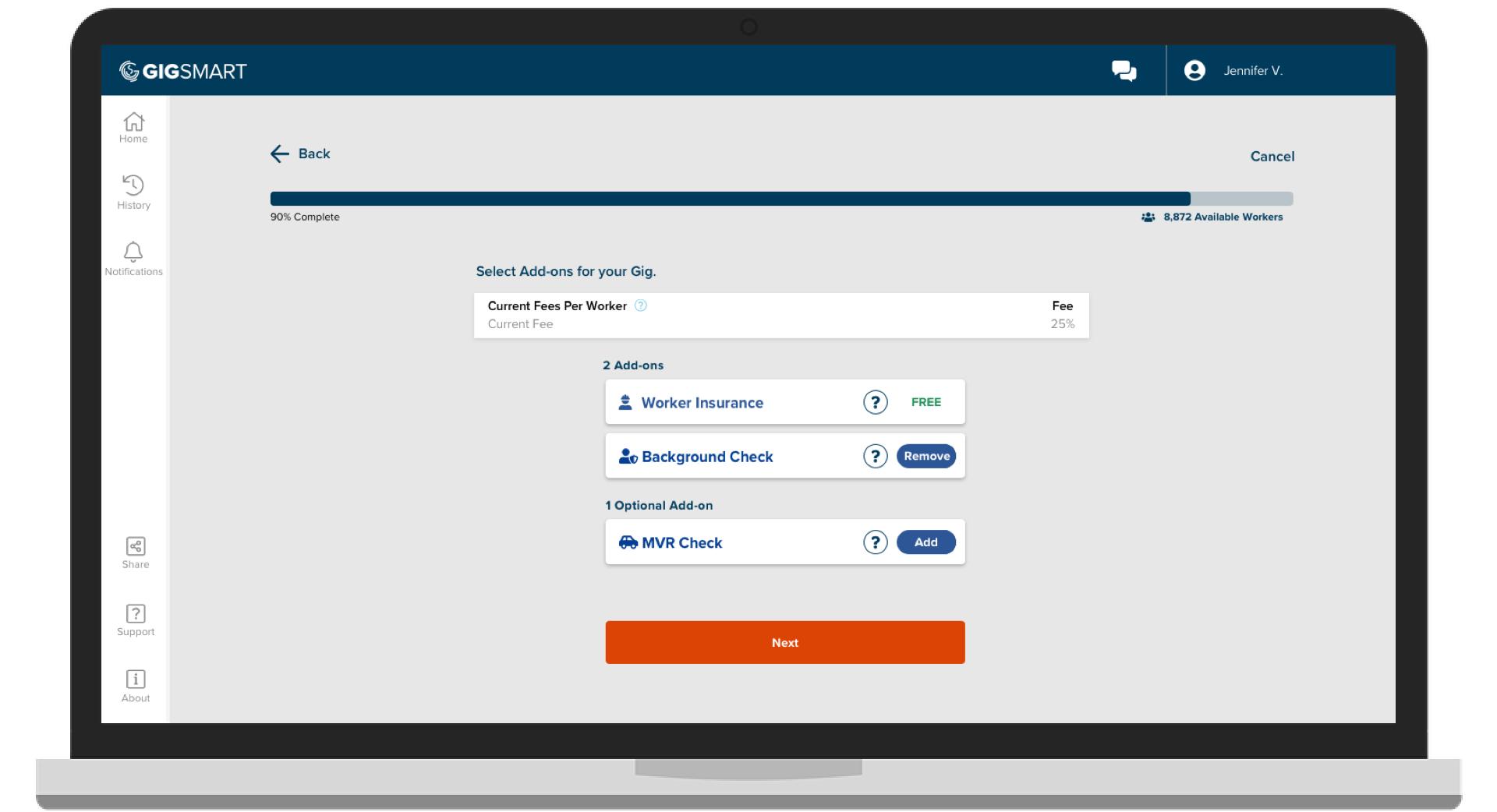
Hire workers you can trust. When you need extra confidence in your hiring decisions, add verification to your shifts and connect with background-checked, motor vehicle record (MVR) checked, or drug-screened workers.
How it works
We've partnered with Checkr to make verification seamless for your business:
- Create your shift as usual in GigSmart
- Add verification (background check, MVR check, drug screening or all 3) when posting
- *Contact your account representative to have drug screening added to your account
- Connect with verified workers who've passed your chosen checks
- Hire with confidence
About shift add-ons
Shift add-ons let you customize your hiring needs. When you add a Checkr screening to a shift, you're connecting with workers who've opted-in or have cleared verification, we call this pool verified workers.
Creating shifts with add-ons
Adding verification to your shift is simple. When you're creating a position in your GigSmart for Business account, select the verification add-on(s) you need.
Learn more
For detailed info on verified workers and shift add-ons, head to our Help Center.
Questions? Contact us.
If you have additional questions about hiring verified workers contact us. We're here to help. Reach out to our team and we'll get back to you.